
1. Open Control Panel > Printers > Epson Receipt Printer > Right Click > Printer Properties
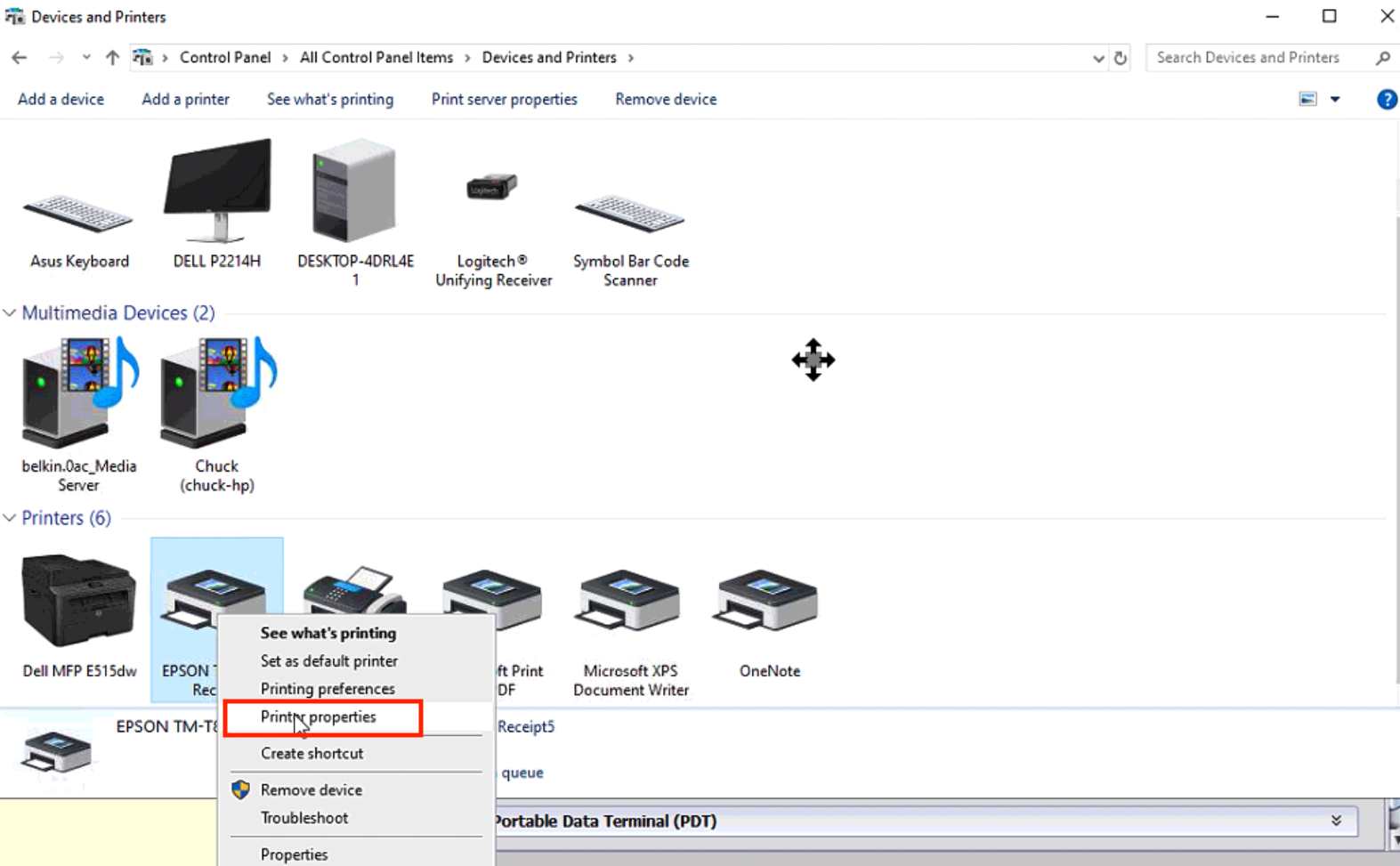
2. Select the Advanced Tab
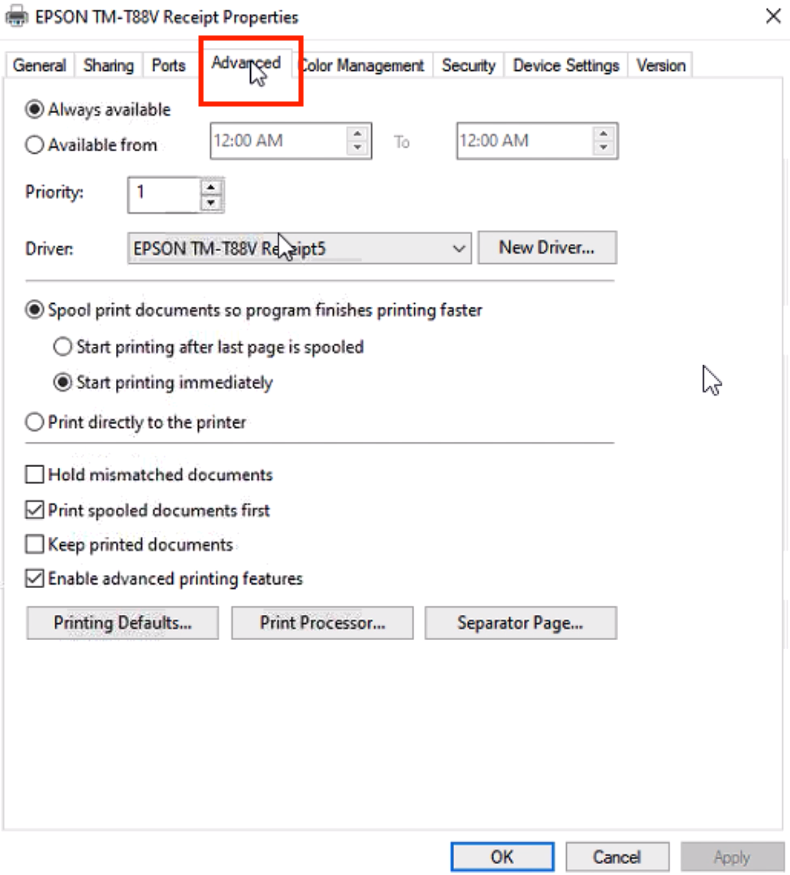
3. Select Printing Defaults
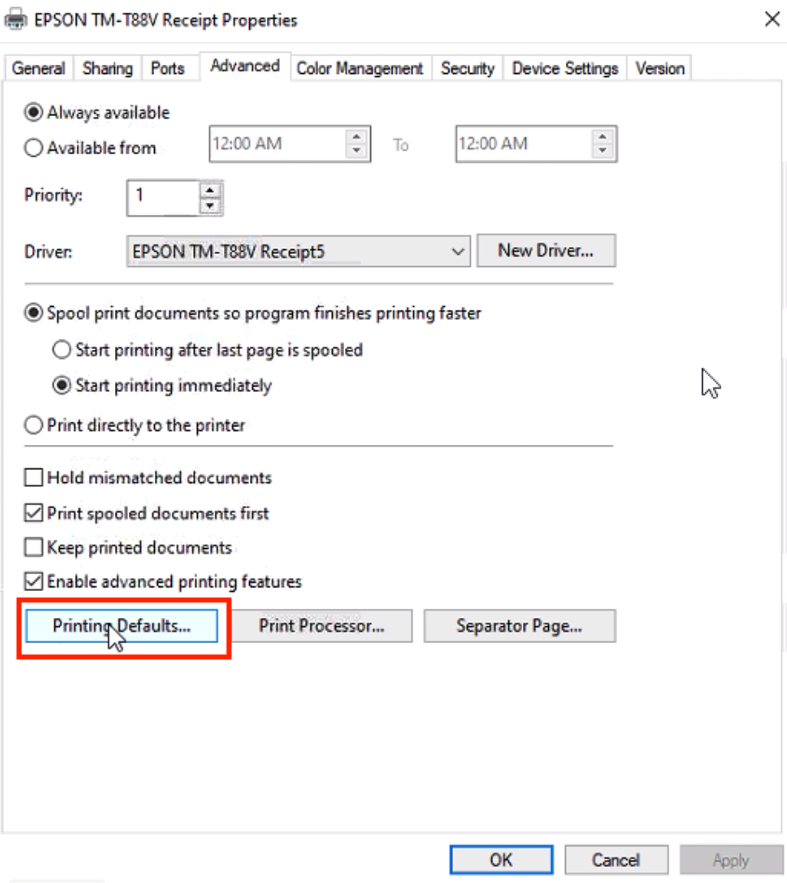
4. Layout Tab Click the Advanced button
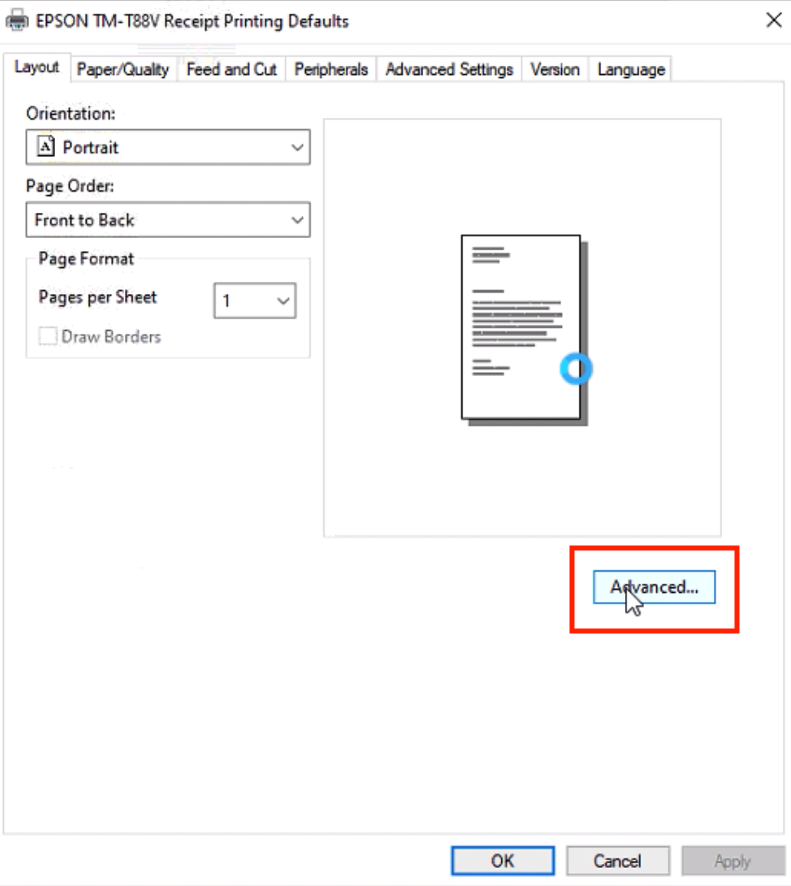
5. In the printing defaults> Paper/Output>Paper Size — choose Roll Paper 80 x 3276 then OK and Apply.

If the printer isn’t feeding paper out at all or if the text gets jumbled on the page here are some options you can try:
1) Change the paper to a half roll because less weight requires less tension.
2) Rough up the roller lightly with some very light sandpaper.
3) Maybe take some packing tape and spread just a tiny bit of adhesive.
4) Replace the roller.
5) Get a new printer.